Tune it
Everything from here happens on your phone.
On your phone, on your home Wi-Fi, open
http://skylight.local:3000/controlAdd it to your home screen: it's the remote control from now on. Won't open? See Help.
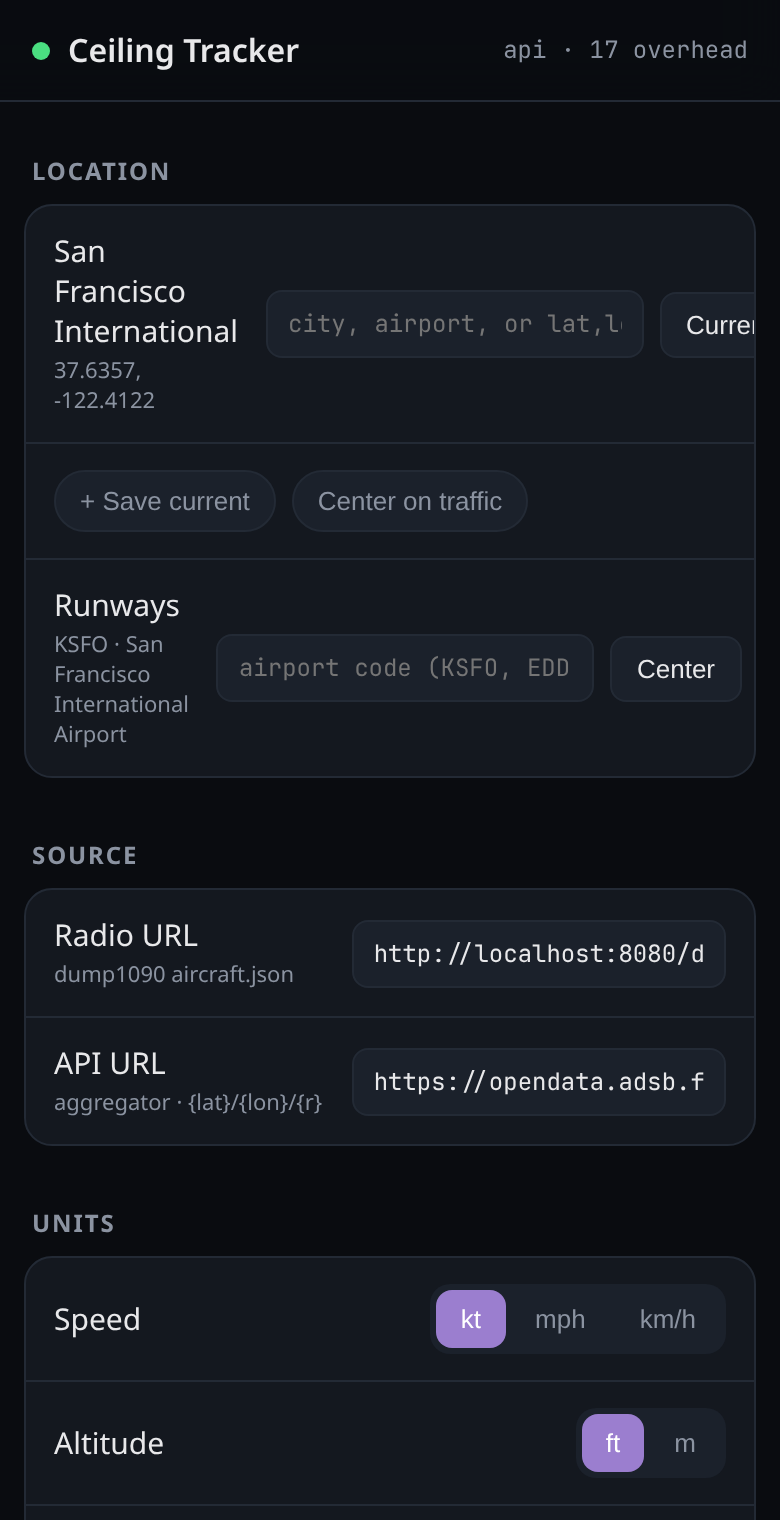
Location: type your address, or tap Current.
Until you do, it shows San Francisco.
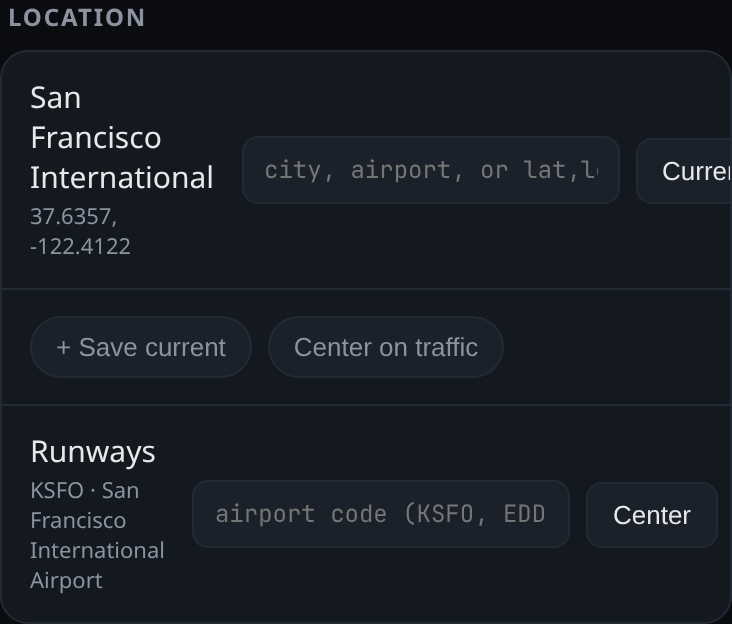
Runways: type your nearest airport's code, like
JFKorLHR, then tap Enter.The real runways are drawn, so landings line up with them.
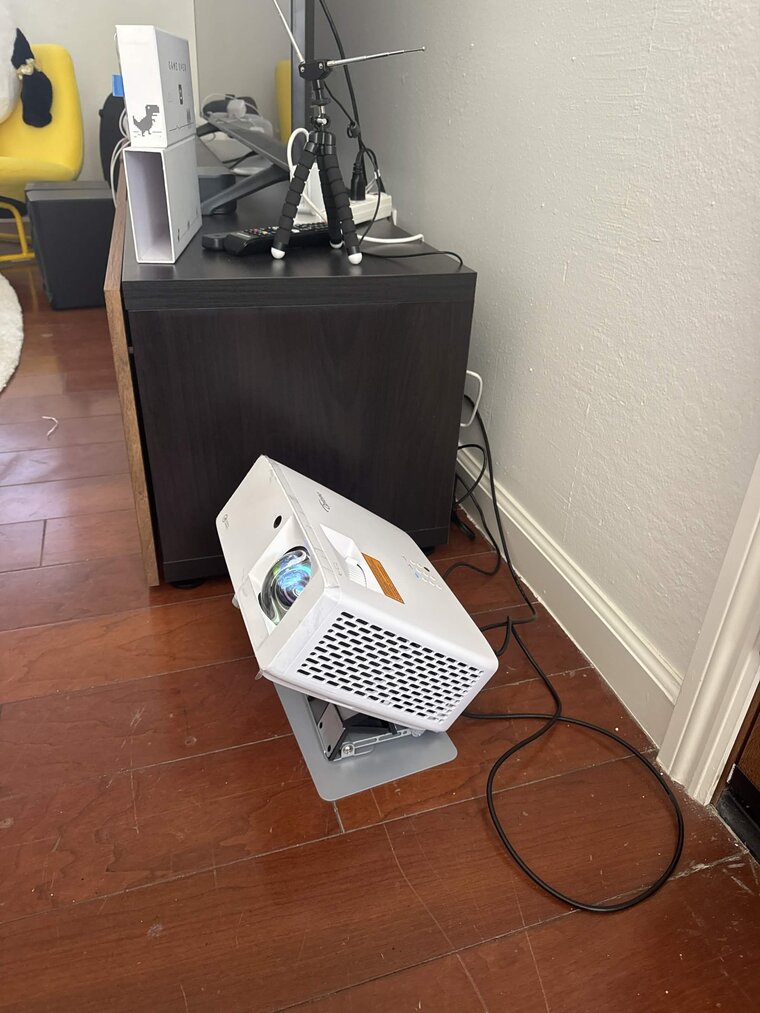
Lights off. Put the projector on the floor, pointing up at the ceiling.
The Yaber, XGIMI and Samsung focus themselves. Lower means bigger.
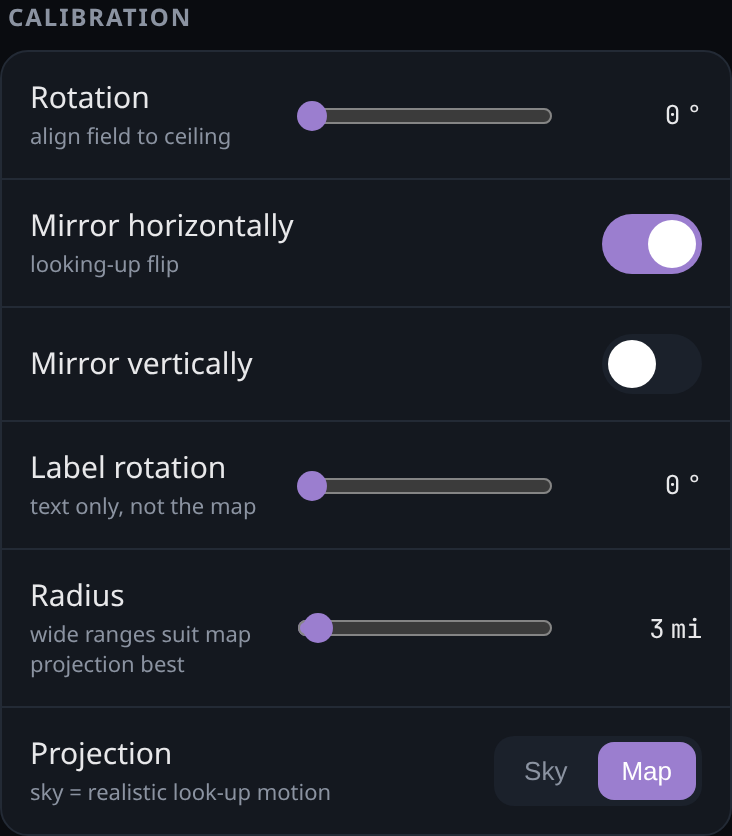
Calibration → drag Rotation until a real plane overhead and the one on the ceiling move the same way. If it moves the opposite way whatever you do, switch on Mirror horizontally and try again.
Once. It remembers. Lying on your back, north on the ceiling should be real north.
Make it bigger, dimmer, or a different color
On the phone page: Calibration → Radius for how far out to show, View and Palette for brightness, trails and theme, and Sky for stars, constellations, planets and satellites, with a jump to the next Space Station pass when one is coming.
Add the radio later
Plug the radio in, plug the keyboard back in, and press Alt+F4 to close Skylight. Open the Terminal and type the same line as before. It notices the radio and restarts on its own.
curl -fsSL skylightceiling.com/install | bash